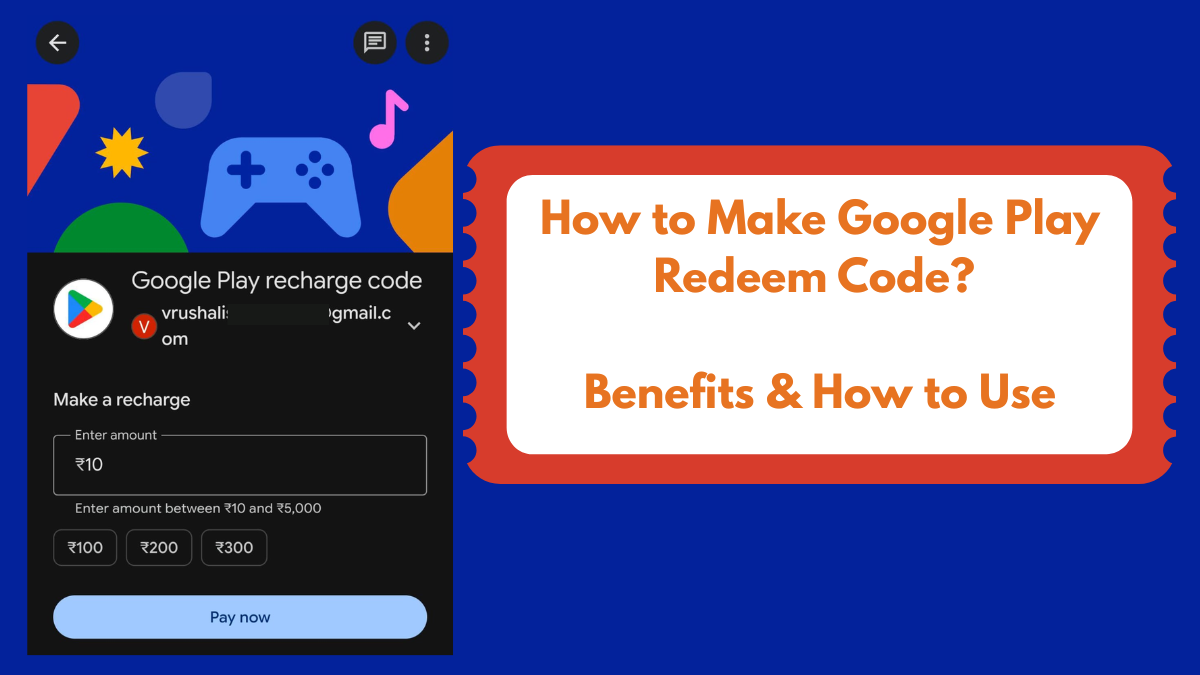
Want to know how you can make redeem code in Google Pay? Here’s a step-by-step guide on generating Google Play redeem codes from GPay.
What all do you need to make redeem codes in Google Play:
- GPay app (be a logged-in user)
- An account on the Google Play Store
Yep, that’s all you need to generate Google Play redemption codes.
Pro Tip🟢: You can even buy gift cards or sell your unused vouchers on Zingoy😍. Just make sure to sign up first. Take part in ZingQuests to earn extra cashback & rewards on online shopping. ✨💵
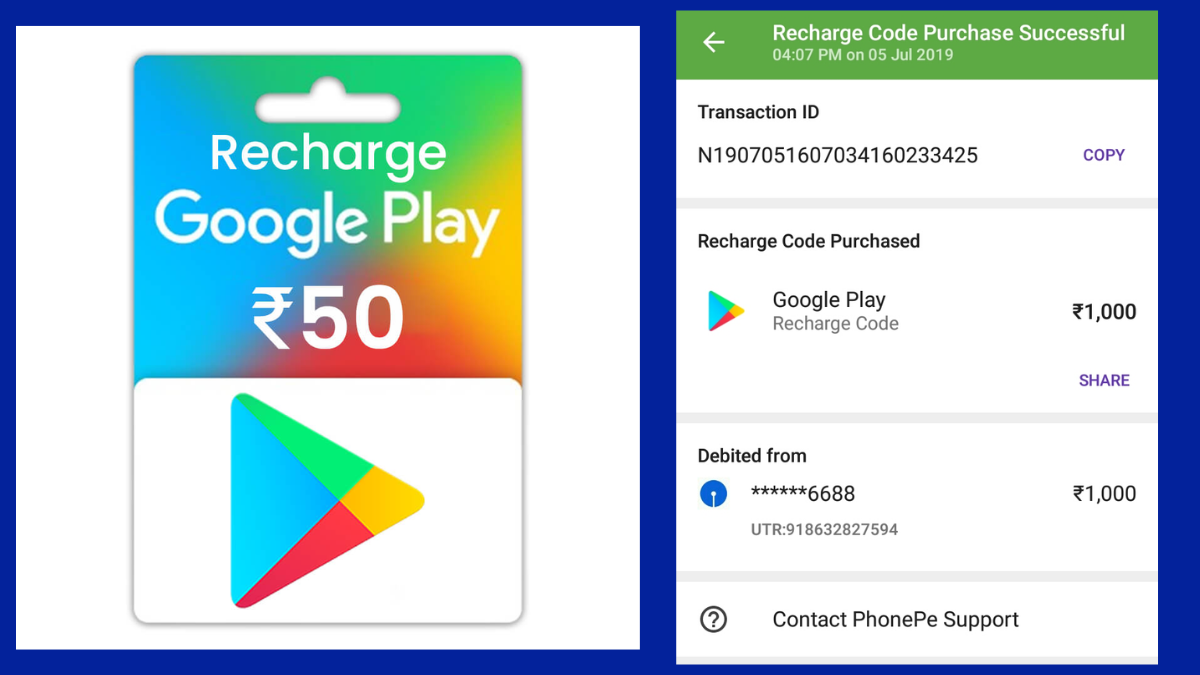
How to Generate Google Play Redemption Codes? Make Redeem Code (2026)
To generate or create a redeem code in Google Pay, follow the steps given below:
- Download & open the GPay app
- Scroll down to find “Payment Categories” OR “Manage Bills” section (check the screenshot below to understand better)
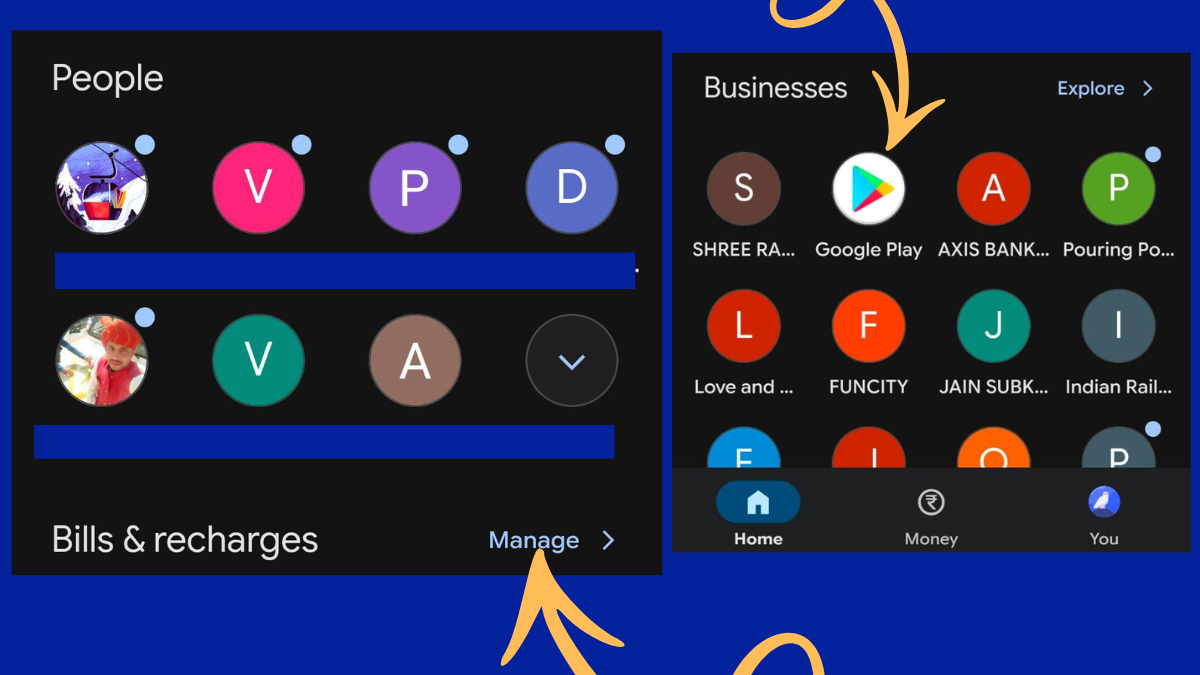
3. Find the “Google Play” option or Click on “View More” if you can’t see it
4. Select it and next, enter the amount you wish to recharge the code with (between ₹10 to ₹5000)
5. Click on “pay now” and pay the amount using UPI
6. Once done, your purchased Google Play redeem code will be available in purchase history under “Google Play” biller
7. Copy the code to share with your friends or family or click on “Use Code” to redeem the code yourself
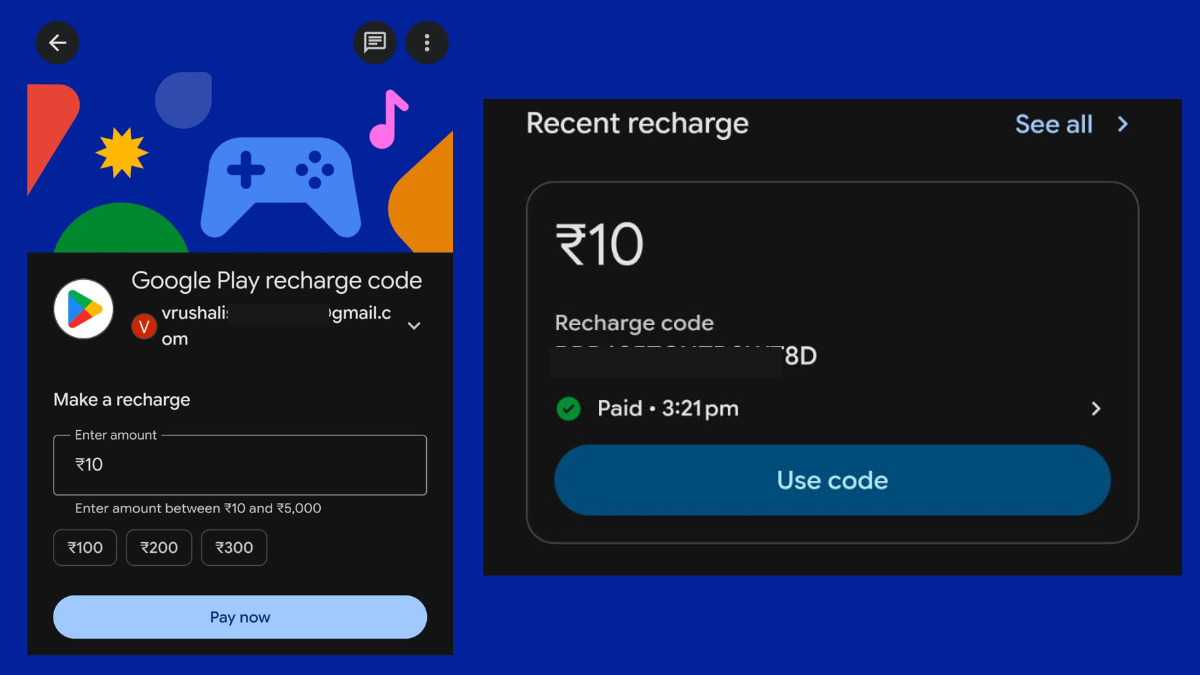
8. Upon clicking “Use code” you will be redirected to the Google Play Store (from the same email you were signed in while buying the redemption code in GPay)
9. Here, you can use this code to top up your Play Store balance which can be used for in-app purchases or in-game purchases such as Free Fire Diamonds, etc.
Also read: How to Redeem Myntra Gift Card
Where to Use Google Play Redeem Codes?
You can use Google Play redemption code in the following ways:
- The Google Play Store to buy paid apps and games
- For in-app purchases (like coins, skins, Free Fire diamonds, etc.)
- To purchase or rent movies & TV shows
- To buy eBooks & audiobooks on Google Play Books
- For app subscriptions (like music, OTT, or premium app plans billed via Google Play)
- To top-up your Google Play balance, which can be used across all Play Store purchases
.
How to Use Google Play Redeem Codes? Redeem a Google Play Code
- Open the Google Play Store on your Android device
- Tap on your profile icon (top right corner)
- Go to Payments & subscriptions & tap on Redeem code
- Enter or paste your Google Play redeem code
- Tap on Redeem and then Confirm to proceed
- The amount will be added to your Google Play balance instantly
Alternative method (during checkout):
- Select any app, game, or content you want to buy
- On the payment page, choose Redeem code as the payment option
- Enter the code and complete the purchase using your balance
So this was all about sharing how to make Google Play redeem codes in GPay, where you can use the Google Play redemption codes and how to use it. We hope this article helps you. You might also want to read the difference between Amazon Shopping Voucher vs Gift Card